

If you’re looking to elevate your Cricut projects with stunning calligraphy, loading a calligraphy pen correctly is crucial. Did you know that even the most intricate designs rely on the right setup? Many crafters struggle with this process, resulting in frustrating mishaps or less than perfect lettering. By mastering the art of loading a calligraphy pen into your Cricut, you’ll not only save time but also enhance the quality of your projects. Imagine the joy of watching your ideas come to life with elegant, flowing scripts that truly impress. In this guide, we’ll walk through the straightforward steps to seamlessly load your pen and tackle common challenges, so you can create beautiful designs with confidence. Let’s dive into the world of calligraphy and unleash your creativity!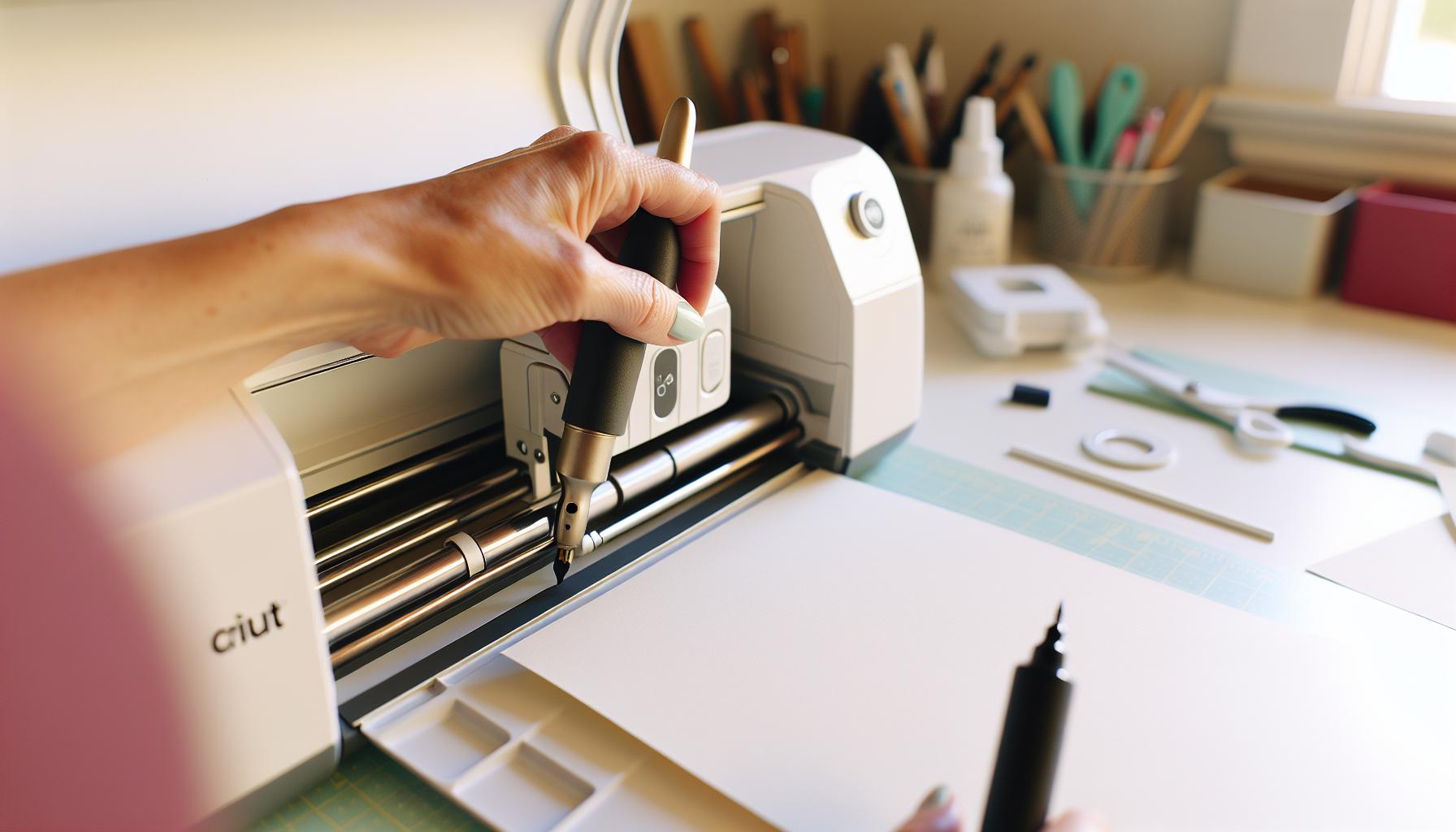
How to Choose the Right Calligraphy Pen for Cricut Projects
When it comes to enhancing your Cricut projects with elegant calligraphy, choosing the right pen can make all the difference. Not all pens are created equal, especially when it comes to the intricate demands of a cutting machine like your Cricut. Before you select a calligraphy pen, consider a few crucial factors: the pen’s size, ink type, and compatibility with your Cricut model.
First off, think about the size of the pen tip. For detailed scripts, a finer tip can help achieve the precision you need, while larger tips may provide a bolder look that’s great for headings and titles. It’s essential to ensure that the pen you choose fits snugly into the Cricut’s writing tool holder. Some brands, such as gel or fountain pens, might require adapters or specific adjustments to fit correctly.
Next, consider the ink type. Water-based inks tend to flow smoothly and dry quickly, which is ideal for paper crafts. On the other hand, alcohol-based inks often provide more vibrant colors but can smudge if not handled carefully. Always test your pen on a scrap piece of the same material you’ll be using for your project. This not only helps to see how the ink applies but also shows you how it holds up during the cutting process.
Finally, pay attention to compatibility with your Cricut machine. Not all Cricut models work with every type of pen. For instance, while some pens may fit perfectly in a Cricut Maker, they might not be appropriate for older models like the Cricut Explore Air. Check the specifications or community forums for recommendations, and don’t hesitate to experiment with various brands to discover what works best for your creative style.
Understanding Cricut’s Calligraphy Pen Compatibility
When diving into the world of Cricut projects featuring calligraphy, understanding pen compatibility is crucial for achieving beautiful, precise results. Not every calligraphy pen will work seamlessly with your Cricut machine, and using the wrong pen can lead to disappointing outcomes. You’ve got to consider the specific nuances of your model-even within the Cricut family, you’ll find variations in writing tool holders and what they can accommodate.
To start, it’s important to know which Cricut model you own. For instance, the Cricut Maker has a wider compatibility range due to its adaptive tool system compared to older models like the Cricut Explore Air. The adaptive tool system means you can use a broader variety of pens and tools, but you still need to ensure that the calligraphy pen you’re eyeing is explicitly marked for use with your machine. Checking the specifications of both the pen and the Cricut is essential-most reputable brands will provide clear guidelines on compatibility.
Additionally, you may encounter different pen styles that require specific adapters. Notably, some calligraphy pens, especially those with a larger body or unique shapes, might not fit directly into the holder. It’s often helpful to look for community insights or reviews when you’re unsure. Many crafters share their experiences with specific pens on forums, providing invaluable information that could save you time and frustration later on.
Ultimately, the pen’s fit is just as important as its ink composition. Certain inks may not suit your chosen material, leading to smudging or fading during the cutting process. Always conduct a quick test on scrap materials to see how well the pen works with your Cricut before committing to a full project. This way, you’ll not only ensure the pen fits but also that it performs well under your chosen crafting conditions.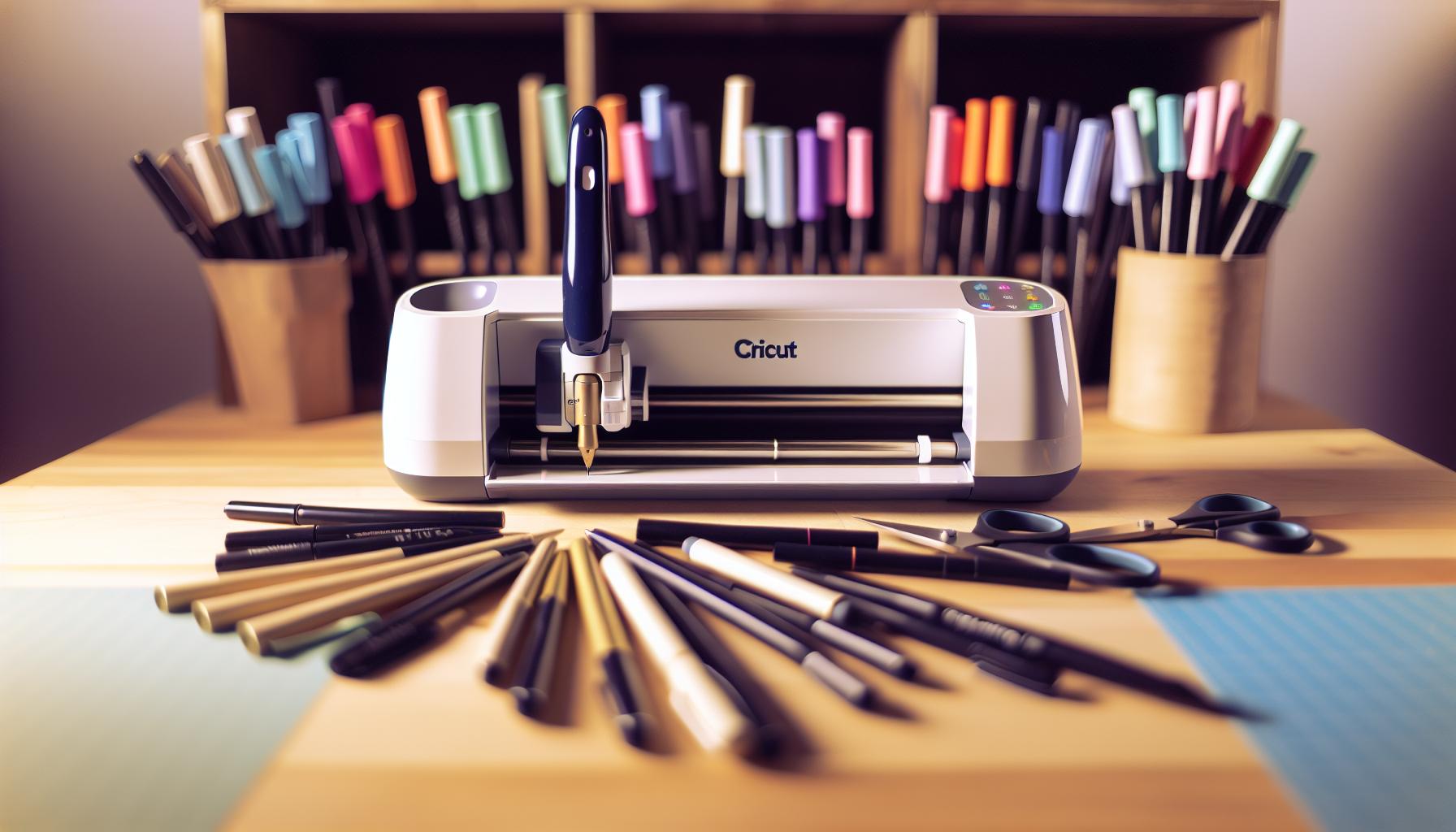
Step-by-Step Guide to Loading Your Calligraphy Pen
Loading your calligraphy pen into your Cricut can feel a bit daunting, but it’s a straightforward process once you know the steps. Getting it right is crucial because a proper load will give you the best results on your projects. Here’s how to do it with confidence.
First, make sure you have the right calligraphy pen for your machine. Before starting the loading process, check that your pen fits the holder of your Cricut model. Most machines, such as the Cricut Maker, come with an adaptive tool system, but always verify compatibility to avoid any last-minute surprises.
Once you’re set with the right tool, it’s time to load your pen. Here’s a quick rundown of the steps:
- Turn Off the Machine: Start by ensuring your Cricut is powered off to safely load the pen.
- Open the Clamp: Locate the clamp on the carriage of your Cricut, which is typically marked for easy identification. Gently lift the clamp to open it.
- Insert the Pen: Take your calligraphy pen and insert it into the holder. Make sure the pen’s tip is facing downward. You want to insert it until you feel it fit snugly in place.
- Close the Clamp: Press down on the clamp to secure the pen. You should hear a slight click when it’s properly locked in.
- Perform a Test: Before diving into your project, it’s wise to perform a quick test. Use a scrap piece of paper to ensure the pen is functioning correctly.
Following these steps will help you load your calligraphy pen correctly every time. And remember, it might feel a bit tricky at first, but with practice, you’ll master it quickly. Enjoy creating those beautiful, handwritten designs that Cricut and calligraphy pens let you achieve!
Common Mistakes to Avoid When Loading
Loading a calligraphy pen into your Cricut can be an exciting step toward creating beautifully crafted projects, but many people trip up right at the start. Common mistakes can lead to frustrating results, such as skipped lines or uneven ink flow. Here’s what to watch out for to ensure a smooth loading experience.
First off, double-check the compatibility of your pen with your Cricut model. It’s easy to assume any pen will fit, but not all calligraphy pens are created equal. Make sure your pen is designed to work with your specific Cricut holder. Using a pen that’s too thick or too thin can result in improper loading, leading to subpar performance or even potential damage to your machine.
Another mistake to avoid is skipping the vital step of turning off your Cricut before loading the pen. It might seem like a minor detail, but having your machine powered up can make the clamp mechanism move unexpectedly. This could lead to pinched fingers or misaligned loading, so always hit that power button first. When you open the clamp, take a moment to ensure it’s fully raised before inserting your calligraphy pen. Half-open clamping can cause the pen not to seat properly, which means your finished projects may end up looking sloppy.
Don’t forget to perform a test run after loading the pen. Many users jump straight into their project, assuming everything’s good to go. Running a quick test on a scrap piece of paper will reveal any issues right away, saving you time and materials in the long run. If you see inconsistencies in the ink flow or the pen doesn’t write as you expect, you can easily address the problem before committing to your final piece.
By avoiding these common pitfalls, you’ll not only load your calligraphy pen correctly but also enhance the overall quality of your Cricut projects. Enjoy the creative process, and watch as your designs come to life!
Tips for Achieving Perfect Calligraphy Results
With the right techniques, achieving stunning calligraphy results with your Cricut can be both fulfilling and surprisingly simple. Key to successful calligraphy is not only selecting the correct pen but also understanding how slight adjustments can make a big difference. Here’s how to elevate your calligraphy game.
First off, paper choice is crucial. Always use high-quality, smooth paper that complements the ink and your pen type. Textured paper might look great for other projects, but it can lead to uneven lines and frustrating ink flow issues. If you’re aiming for that clean, crisp look, opt for cardstock or specialty calligraphy paper designed to handle ink beautifully.
Another game-changer? Speed and pressure control. Adjust the speed of your Cricut machine-too fast can lead to smudging or skipping strokes, while too slow might not give you that fantastic fluidity. Play around with the settings to find a balance that works for you. Keep in mind that varying your pressure slightly while the machine operates can create beautiful, artistic effects in your lettering.
Don’t forget about test runs. Once you’ve loaded your pen, always run a test on a scrap piece of paper first. This quick step can prevent unwanted surprises on your final project. If the ink flow isn’t consistent, it’s always better to find out now rather than later when you’re halfway through an important piece.
Finally, getting familiar with your pen will drastically improve your results. Practice with your calligraphy pen on various materials to figure out how it behaves. Each pen has a personality of its own-some work better at different angles or with varying amounts of ink pressure. Experimenting will help you adapt your style, allowing for a more personal touch in each creation.
By honing these techniques, you’re not just making letters-you’re crafting art. Enjoy the journey of mastering calligraphy with your Cricut, and let your creativity blossom!
Creative Projects to Try with Calligraphy Pens
When you dive into the world of calligraphy with your Cricut, you’re not just drawing letters-you’re creating personalized works of art that can elevate any project. There’s a plethora of creative ideas that can springboard your calligraphy skills into exciting new avenues. Whether you’re enhancing gifts, home decor, or custom cards, using calligraphy pens with your Cricut opens a wealth of possibilities.
One fantastic project to consider is crafting custom greeting cards. Just imagine personalized birthday cards, wedding invitations, or thank-you notes that stand out with elegant calligraphy. Simply design your layout in the Cricut software, choose a stylish font that mimics your handwriting, and let the machine bring it to life. To add a special touch, use colored inks or metallic pens for a shimmering effect that captures attention.
Another captivating idea is to create wall art. Turn meaningful quotes or family names into stunning decor pieces. You can adjust the size and style in your design software and select beautiful paper to match your home’s aesthetic. Once finished, frame these masterpieces and watch how they instantly elevate your space, combining the charm of handmade art with the precision of your Cricut.
If you’re in the mood for something seasonal, why not try personalized ornaments or holiday decor? Use your calligraphy pens to inscribe special messages, names, or dates on wood or acrylic ornaments. These unique items become cherished keepsakes, perfect for celebrating special moments or adding a personal touch to your holiday decorations.
Don’t overlook the potential of making custom labels and tags. Imagine calligraphy on wine bottles for a dinner party or beautiful tags on gifts that express your thoughts uniquely and stylishly. You can create special labels for spice jars, storage boxes, or even homemade goodies to give to friends and family. This small addition can make ordinary items feel extraordinarily special.
With calligraphy pens, your Cricut is more than a crafting tool; it’s your gateway to limitless creativity. Dive into these projects and let your imagination lead the way!
Maintaining and Cleaning Your Calligraphy Pen
To get the most out of your calligraphy pens, maintaining and cleaning them properly is essential. After all, a clean pen ensures the smooth flow of ink and consistent line quality, which is vital for those intricate designs your Cricut helps you create. Here’s how to keep your calligraphy pens in top shape so you can focus on your creative projects without interruptions.
Start with the basics. After each use, make a habit of wiping the nib gently with a soft cloth or paper towel. This helps remove dried ink and keeps the tip clear for your next project. If you notice that the ink isn’t flowing as it should, it might be time for a more thorough cleaning. For water-based inks, simply rinse the nib under lukewarm water. Be careful not to immerse the entire pen in water, as this can damage the internal components. Allow it to air dry completely before using it again.
Cleaning Different Ink Types:
- Water-based inks: Rinse under lukewarm water, then wipe clean.
- Permanent inks: Use rubbing alcohol on a cotton swab to clean the nib, but make sure to do this sparingly to protect the pen.
- Hybrid and specialty inks: Check manufacturer recommendations for specific cleaning instructions to avoid damaging your pen.
When your pens are not in use, store them horizontally in a cool, dry place. This prevents ink from pooling at one end and clogging the nib. Consider investing in a dedicated pen holder or case to keep everything organized and easily accessible.
Lastly, always remember that a little preventive maintenance goes a long way. Regularly checking your pens for clogs or dried ink can save you time and enhance your overall crafting experience. By incorporating these cleaning habits into your workflow, you’ll ensure your calligraphy projects with the Cricut remain seamless and enjoyable.
Troubleshooting: What to Do When It Doesn’t Work
Sometimes, even the most prepared projects can hit a snag. If your Cricut isn’t working as expected when you’ve loaded a calligraphy pen, don’t panic. A few common issues often arise, and troubleshooting them can be straightforward if you know what to look for.
First things first: check if the calligraphy pen is seated properly in the adapter. If it’s loose or tilted, it can affect the pen’s ability to draw accurately. Remove the pen and ensure it’s securely clipped into the holder. Also, confirm that you’re using the correct adapter for your model. Using an incorrect adapter can lead to alignment issues that prevent the pen from functioning properly.
Next, make sure that the correct pen type is selected in the Cricut Design Space software. Sometimes, you might forget to adjust the settings from a previous project, which can lead to your machine not recognizing the pen. Choose the right settings that match your project requirements to ensure accurate performance.
If the pen is still not working, examine the nib for any clogs or dried ink. It’s surprising how quickly ink can dry up, especially if the pen has been idle for a while. Regularly cleaning your pens helps with this, but if you notice the tip isn’t working, a gentle rinse can often clear up any blockages. Ensure the ink flows smoothly before attempting your next design.
Lastly, don’t forget to check the machine itself. Ensure that it’s updated with the latest firmware and that there are no error messages or alerts displayed. Sometimes, a simple restart of the machine can clear up any temporary glitches and get you back on track.
With these troubleshooting steps, you can quickly get to the heart of the problem and maintain your creative momentum. Remember, even the best crafters face hiccups, but having a plan in place makes the journey much smoother.
Exploring Different Calligraphy Styles for Cricut
Exploring various calligraphy styles can transform your Cricut projects from basic to breathtaking. By understanding different styles, you can achieve specific effects and bring a personal touch to invitations, home décor, or handmade gifts. Whether you’re a beginner or looking to refine your skills, experimenting with styles can open up a world of creativity.
One popular style is Copperplate, known for its elegance and fluidity. It utilizes fine upstrokes and thick downstrokes, making it ideal for formal invitations and personalised stationery. If you want a modern twist, try Brush Script, which mimics the natural strokes of a brush. This style is casual yet stylish, perfect for everyday projects like thank-you cards or custom signage.
For those who appreciate intricate designs, consider Gothic or Blackletter calligraphy. These styles have dramatic, ornate elements that stand out on any project. They’re particularly effective for themed parties or medieval-inspired decor. Another exciting option is Modern Calligraphy, which breaks away from traditional rules, allowing for a free-flowing design that embodies personal flair. This can be a fun way to explore your own lettering styles.
When incorporating these styles into your Cricut projects, consider the following tips to get the best results:
- Choose the Right Pen: Different styles may require different pen types. For example, thicker lines work well with brush-style pens.
- Practice Variations: Before committing to a project, practice each style on scrap paper to understand the flow and pressure required.
- Experiment with Fonts: Use Cricut Design Space to mix and match fonts that reflect the calligraphy style you’re aiming for.
By exploring these calligraphy styles, you not only enhance your Cricut projects but also add a layer of artistry that reflects your unique voice. So grab those pens, load your Cricut, and let your creative journey begin!
Best Calligraphy Pen Brands for Cricut Users
When it comes to achieving stunning calligraphy in your Cricut projects, the right pen can make all the difference. Not all pens are created equal, and selecting a top-quality brand ensures fluidity and precision that will elevate your designs. Some of the include:
- Artisan Pens: Known for their rich pigment and smooth glide, Artisan pens are ideal for creating intricate calligraphy. They come in various nib sizes, perfect for different styles from casual to formal.
- Sakura Gelly Roll: These gel pens are favorites among crafters thanks to their vibrant colors and consistent flow. Their fine point is great for detailed work and can produce stunning results on various paper types.
- Crayola Supertips: While not a traditional calligraphy pen, these versatile markers can be used for brush lettering techniques. They’re affordable and easy to control, making them great for beginners.
- Pentel Touch Brush Pen: This is a go-to for brush calligraphy. The flexible brush tip allows for beautiful thick and thin lines, giving your project that professional touch.
- Faber-Castell Pitt Artist Pens: With their high-quality pigments and variety of nib sizes, these pens are perfect for artists looking for a splash of color in their calligraphy. They’re lightfast and permanent, so your designs will stand the test of time.
Each brand has its strengths, and finding what works best for your style and needs can take a bit of experimentation. Consider purchasing a few different types to see how they interact with your Cricut machine and the materials you’re using. With the right pen in hand, you’ll be well on your way to creating exquisite calligraphy-centric projects that truly shine. Remember, it’s about finding the perfect balance between technique and tools, so allow yourself the space to explore and enjoy the process!
Inspiration: Stunning Designs Created with Calligraphy
When you unleash the power of calligraphy with your Cricut, the results can be nothing short of mesmerizing. Imagine creating elegant wedding invitations, personalized gift tags, or stunning wall art that stands out. Each stroke imbued with character helps convey emotion and artistry. These designs not only showcase the precision of your Cricut machine but also the expressive potential of calligraphy pens.
For a touch of inspiration, consider these creative projects that highlight the beauty of calligraphy:
- Custom Quote Prints: Design a series of prints featuring your favorite quotes. Use a combination of font styles and colors for that extra flair, and frame them for instant home decor.
- Handcrafted Greeting Cards: Delve into card making for occasions like birthdays or holidays. Incorporate layered elements with calligraphy to elevate your card’s visual appeal.
- Monogrammed Gifts: Personalize items like notebooks, mugs, or tote bags by adding elegant monograms. These unique touches make thoughtful gifts.
- Event Signage: Create bespoke signs for events such as weddings or parties. Calligraphy adds a sophisticated touch that guests will remember.
The key is to experiment with different calligraphy styles to see what resonates with your vision. For instance, combining traditional cursive with modern brush lettering can yield striking results. And don’t forget about the versatile colors and materials-using metallic ink on dark card stock can create a dramatic effect.
Ultimately, the only limit is your imagination. As you explore and create, these stunning calligraphy projects not only beautify but also express a personal narrative. Trust me, bringing calligraphy into your Cricut projects unlocks a world of endless creativity that’s both rewarding and visually captivating. So, roll up your sleeves, grab your favorite calligraphy pen, and dive into a tapestry of artistic possibilities!
Advanced Techniques for Calligraphy in Cricut Projects
To elevate your calligraphy projects with a Cricut, mastering advanced techniques can make a world of difference. Whether you’re aiming for intricate designs or straightforward elegance, implementing a few strategic methods can enhance your calligraphy skills. First off, consider using multiple pen types during a single project. Combining fine-point pens for delicate details with broader tips for bold strokes creates depth and interest. Experiment with color gradients by using pens in varying shades of the same color, adding a subtle touch of sophistication to your designs.
You can also play around with layering your calligraphy. Start by sketching a light outline of your text using a pencil or a light-color pen, then add your main calligraphy over it. This technique not only helps with precision but also allows you to adjust and modify the design before finalizing it with your pen. Using a contrasting color for the outline can create a more dynamic effect, drawing attention to your calligraphy.
Timing is everything. When using faster settings on your Cricut, don’t be afraid to explore the differences in speed and pressure settings. Slowing down the drawing speed gives you more control over the pen, resulting in smoother lines and cleaner letters. This is particularly important for more intricate styles like Spencerian or Copperplate, where precision is key. Take a test run with various speeds to find what works best for your specific pen and paper combination.
Lastly, invest time in practicing different calligraphy styles before diving into a project. Each style has distinct characteristics that can significantly affect how the final piece looks. Brush lettering, for example, gives off a casual, modern vibe, while traditional styles embody elegance and formality. Adapting your technique based on the intended use of your project – like a wedding invitation versus a casual greeting card – can enhance its overall impact.
Advanced techniques like these will empower you to fully utilize your Cricut machine’s capabilities, crafting stunning calligraphy pieces that are bound to impress. With some practice and experimentation, you’ll discover that the potential of calligraphy in your Cricut projects is limitless.
Frequently Asked Questions
Q: How do I choose the right calligraphy pen for my Cricut projects?
A: To choose the right calligraphy pen for Cricut projects, consider the pen’s tip size, ink type, and color. Look for pens specifically designed for Cricut machines to ensure compatibility. Consult the Cricut design guidelines for recommended brands and styles that suit your project needs.
Q: Can I use any calligraphy pen in my Cricut?
A: No, you can’t use just any calligraphy pen. Only specific pens designed for Cricut machines are compatible. These pens fit securely and work with Cricut’s design system to ensure optimal results. Always check the manufacturer’s guidelines for a list of compatible calligraphy pens.
Q: Why is my calligraphy pen not fitting in my Cricut?
A: If your calligraphy pen isn’t fitting, it may be the wrong size or type. Ensure you are using a pen that is specifically designed for Cricut machines, as some pens require a different adapter. Check the pen’s features against Cricut specifications to confirm compatibility.
Q: What are the common mistakes to avoid when loading a calligraphy pen in Cricut?
A: Common mistakes include not securing the pen tightly, using an incompatible pen, and forgetting to adjust the settings for pen usage in your design software. Always double-check that the pen holder is tight and that your machine is set up for writing rather than cutting.
Q: How can I improve my Cricut’s calligraphy results?
A: To improve calligraphy results, use high-quality, compatible pens and adjust the machine’s speed and pressure settings. Test your design on scrap paper first to fine-tune these settings, ensuring that the ink flow is consistent and the design is clear and smooth.
Q: Can I create my own calligraphy styles using Cricut?
A: Yes, you can create custom calligraphy styles in Cricut. Use design software to trace or create your lettering, then load an appropriate calligraphy pen into the machine to reproduce your unique style. Experiment with different strokes and weights for variety.
Q: What maintenance does a calligraphy pen need after using it with Cricut?
A: After use, clean your calligraphy pen by gently wiping the tip with a damp cloth to remove any ink residue. Store the pen horizontally or upright to prevent ink from drying out. Regular maintenance ensures longevity and consistent writing quality.
Q: Are there specific projects best suited for using calligraphy pens in Cricut?
A: Absolutely! Calligraphy pens are perfect for creating personalized cards, invitations, decorative quotes, and scrapbook embellishments. Explore creative projects that enhance the elegance of your designs while allowing you to showcase different calligraphy styles effectively.
To Conclude
Now that you know how to load a calligraphy pen in your Cricut for stunning projects, it’s time to unleash your creativity! Remember, mastering this technique opens up endless possibilities for personalized crafts. Don’t let hesitation hold you back-dive into your next project today! If you’re eager to explore more, check out our guides on customizing fonts or enhancing your calligraphic designs with Cricut.
For those looking to refine their projects further, consider exploring our tutorial on creating randomized fonts to add a unique touch to your designs. And if you have any questions or tips of your own, we’d love to hear from you in the comments below!
Stay connected by signing up for our newsletter for more inspiration and exclusive tips. Keep crafting and see where your creativity takes you! Here’s to beautiful designs and endless crafting adventures!